Registration Main Menu
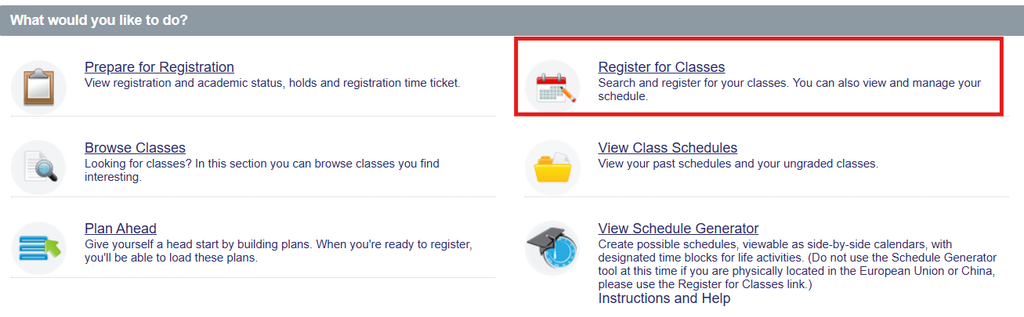
The first time that Class Registration is accessed for a term all students are requited to read and agree to the university registration consent statement. A copy of this agreement will be emailed to your University of Illinois email address.
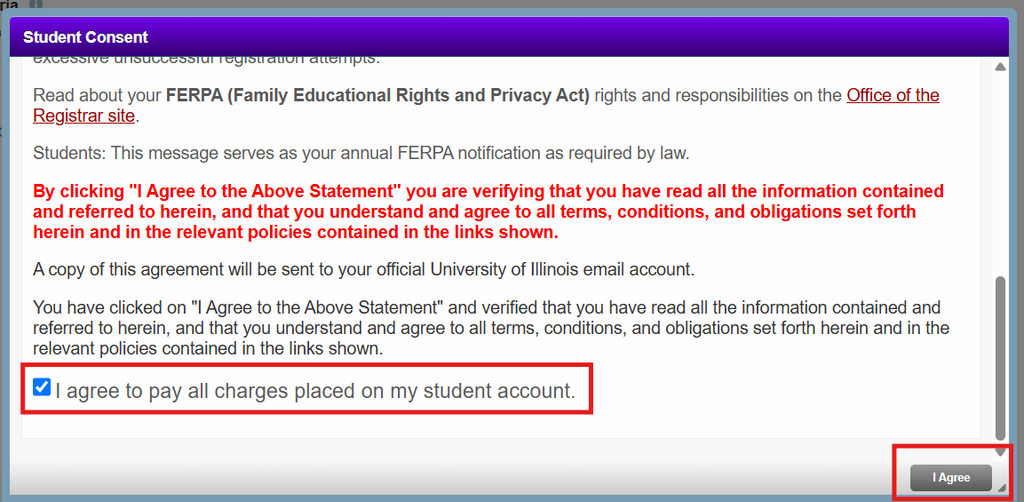
Registration Steps
- Select the Register for Classes option.
- Select the term you would like to register for and click Continue.
- Stay on the Find Classes tab
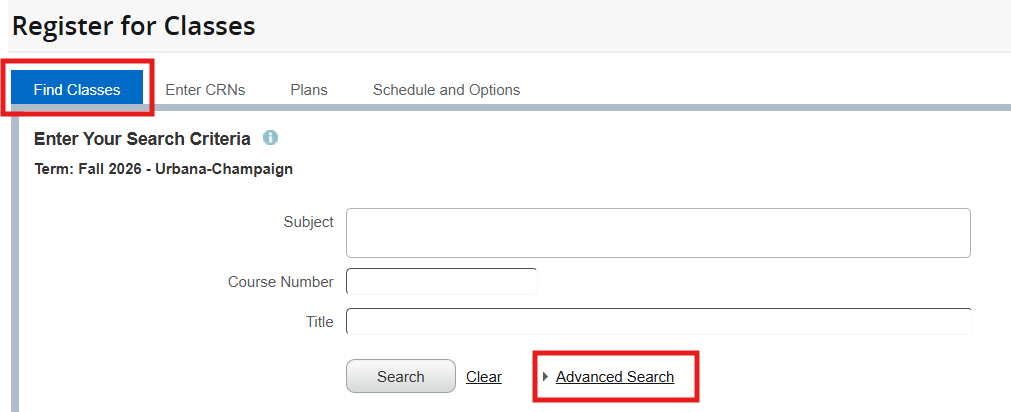
- Enter search criteria such as Subject, Course Number, and/or Title
- Click the Search button
- Locate the course section for which registration is desired
- Click the ADD button
- The section will be added to the “Pending“ status in the Summary Panel.
- Click the Submit button.
- Courses can been added one at a time or several courses can bee added to the summary panel and submitted together.
- Courses that were sucessfully registered will have their status changed to “Registered” in the Summary Panel.
- If a seat is unavailable or you do not meet the registration requirements, a notification message will appear. If this happens, you are NOT registered for the course.
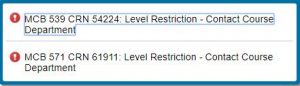
- If a seat is unavailable or you do not meet the registration requirements, a notification message will appear. If this happens, you are NOT registered for the course.
Helpful Tips:
- If seats are limited in a section, it is recommended that you click Submit immediately to secure your registration. Your seat is not guaranteed while the section is listed in Pending status.
- Courses that require Linked Sections, such as a lecture with a laboratory section, must be registered for with the same submission action. If one section creates an error, neither section will be successfully registered. Review instructions for registering for Linked Sections.